Ncore SoftwareContact Sales
Products / Ncore VM Manager

Ncore VM Manager

Run, replicate, back up, and recover QEMU virtual machines.

Download Ncore VM Manager Trial

  1. Download and run on your Linux host

    Download the deployment script.

    wget https://ncoreblobstore.blob.core.windows.net/ncore-vm-manager/deploy-vm-manager.sh

    Run the script on your Linux host.

    bash ./deploy-vm-manager.sh
  2. Open Ncore VM Manager

    Browse to http://192.168.10.4:6089. Replace the example IP address with your VM Manager host address.

  3. Obtain a trial license

    Go to Settings → License to request a trial license from Ncore Software. See page 19 of the Ncore VM Manager guide for illustrated steps.

  4. Configure VM storage and paths

    After activation, go to Settings → General to define the VM storage location and other paths before creating VMs. See page 15 of the guide for illustrated steps.

View Documentation
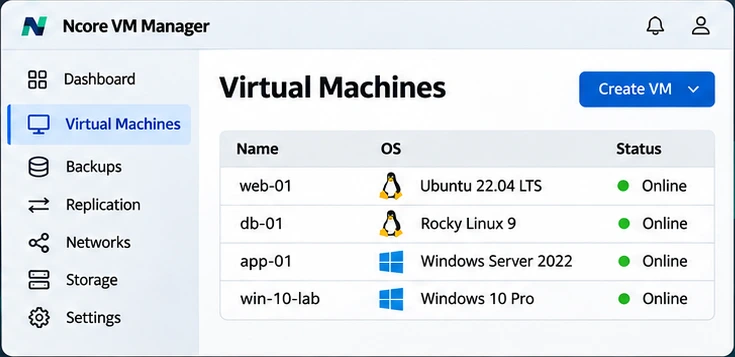
Ncore VM Manager interface concept
Illustrative product preview

Manage virtual machines

Create, configure, and run QEMU virtual machines from a web console.
Back up and restore

Create incremental restore points and recover virtual machines from backups.

Replicate to a recovery host

Configure a replication plan to copy virtual machines to a secondary host.

Storage and networking

Use QCOW2 disks, attach block storage, or configure Ceph RBD. Bridged networking can use DHCP from the external network.

Configure VM recovery

  1. Open Configure Recovery and set the recovery destination.
  2. Create a backup or configure a replication plan for the virtual machine.
  3. Select a restore point when you need to recover the VM.

Licensing

Contact Sales for licensing and deployment information.